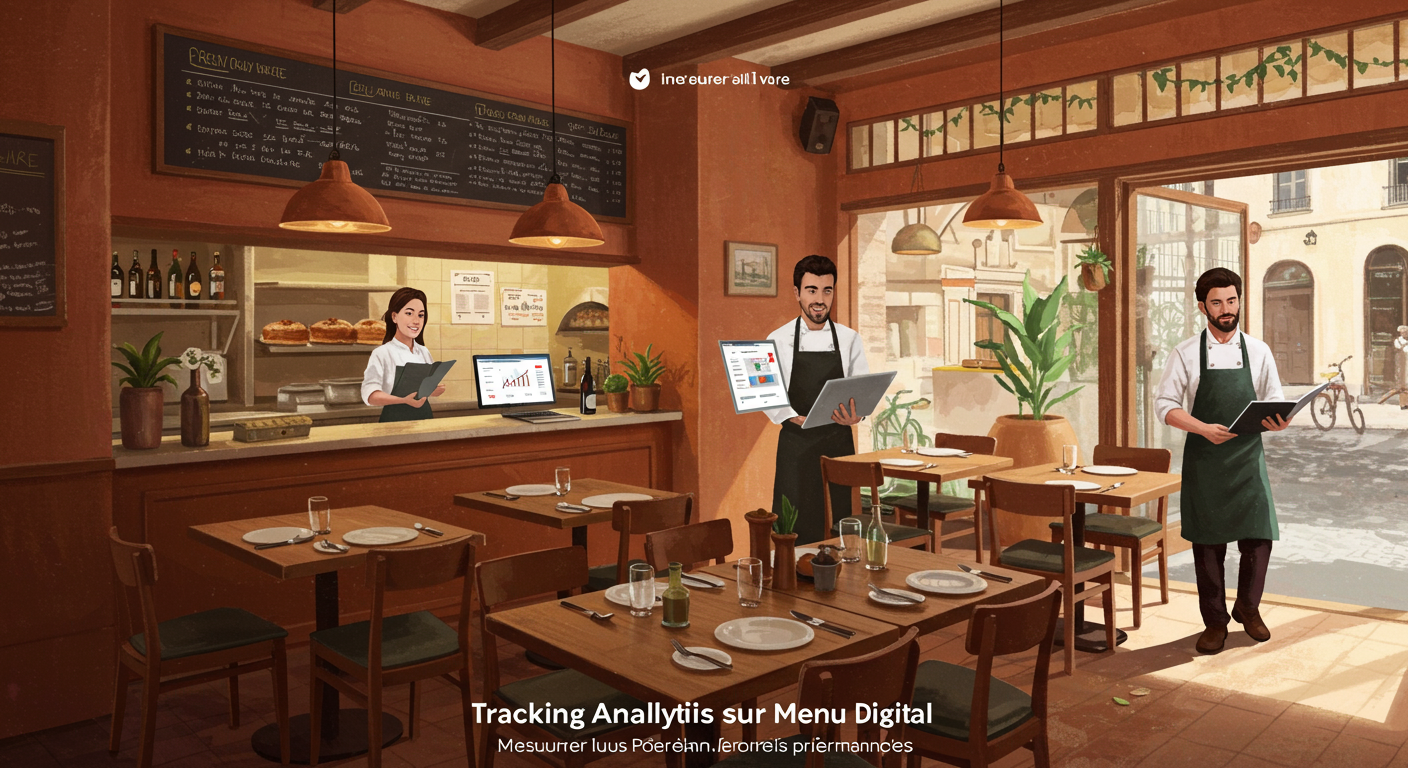
An independent restaurateur reprints their menu several times a year on average. Seasonal changes, supplier price adjustments, a new daily special: every update means another print run, an additional cost, and outdated menus to throw away. Faced with this reality, many professionals are looking for a free QR code menu that can replace — or at least complement — their paper menu. But between generic tools, specialised platforms, and solutions built into POS systems, the choice can quickly become overwhelming. This comparison reviews ten solutions available with no upfront investment, covering their strengths, limitations, and the situations where each one excels.
Why adopt a free QR code menu in your restaurant
The digital menu accessed via QR code is no longer a tech novelty. It has become a daily management tool for restaurateurs who want to save time and keep costs under control.
A lever for cutting recurring costs
Every menu reprint is an expense that many restaurateurs underestimate. Paper, ink, a graphic designer, delivery lead times: the annual total adds up, especially when your menu changes frequently. A digital menu you update yourself in a matter of minutes eliminates this recurring cost. For a detailed breakdown of this cost difference, see our comparison between paper menus and digital menus.
Day-to-day flexibility
Your daily special has sold out by 1 pm? You're adding a chef's suggestion for the weekend? With a QR code menu, changes are instant. No need to wait for a new print run or cross out lines with a pen on a laminated card. This responsiveness transforms the way you manage your offering on a daily basis.
Hygiene and accessibility
A contactless menu reduces the handling of shared objects between guests. Beyond the hygiene aspect, the digital format allows you to adjust text size, contrast, and navigation for people with disabilities — an area where regulations are tightening. Our guide to digital menu accessibility details the requirements currently in force.
Welcoming international guests
If your establishment receives tourists, a multilingual digital menu avoids those rough translations printed in tiny text in the corner of a card. Several solutions on the market offer automatic or manual translation of your menu — a real asset in tourist areas. To explore this further, read our article on multilingual QR code menus for tourists.
Essential criteria for evaluating a free QR code menu
Before diving into the comparison, let's set out the criteria that make the difference between a genuinely usable solution and a gimmick that will be abandoned within a fortnight.
Ease of updating
This is the number one criterion. If changing a dish or a price takes you more than five minutes, you'll eventually stop doing it. The admin interface must be intuitive, accessible from a smartphone, and require no technical skills.
Visual quality
Your menu is a sales tool. A bare-bones display with no formatting, no photos, and a default typeface doesn't make anyone want to order. The best practices for digital menu design show that even minimal attention to presentation directly influences average spend per cover.
Allergen management
Under EU regulation (INCO) — and similar legislation in the UK and many other countries — allergen information must be displayed by all food service establishments. A digital menu that doesn't allow you to include allergens puts you at risk of non-compliance. See our guide to mandatory allergen labelling on menus to check your compliance.
Longevity and reliability
A free solution that vanishes overnight takes your menu with it. Make sure the provider has a viable business model (freemium with paid tiers, for example) and that your data remains accessible.
Additional features
Some solutions simply display a menu. Others integrate table ordering, payment, viewing analytics, or a connection to your POS system. Assess what you actually need today — and what you might need tomorrow.
The real limitations of free plans
Let's be honest: a free plan always comes with limitations. A restricted number of dishes, no custom domain, the platform's branding displayed on your menu, advanced features locked behind a paywall. The challenge is finding the solution whose limitations don't interfere with your day-to-day operations.
Comparison of the 10 best free QR code menu solutions
1. Google Business Profile
The universal, free starting point
Your Google Business Profile (formerly Google My Business) listing lets you add your menu directly to your Google profile. When a customer searches for your restaurant, they can see your menu without leaving the search results page.
- Strengths: completely free, instant visibility on Google Search and Google Maps, no installation required.
- Limitations: very basic formatting (plain text or a link to a PDF), no dynamic allergen management, no integrated dish photos, no visual customisation.
- Best for: restaurateurs who want a minimum digital presence without investing any time or money. It's a complement, not a standalone solution.
2. Canva
Design first, digital second
Canva is an online graphic design tool with a generous free plan. You can create a visually polished menu from pre-built templates, export it as a PDF, and generate a QR code pointing to that file.
- Strengths: hundreds of free menu templates, extensive visual customisation (fonts, colours, photos), professional-quality PDF export.
- Limitations: the result is a static file. Every change requires recreating the PDF and potentially regenerating the QR code if the URL changes. No allergen management, no analytics, no real-time updates.
- Best for: restaurateurs who rarely change their menu and want a polished result without a designer's budget.
3. QRCode Monkey and free QR generators
The pure technical tool
Dozens of websites let you generate a QR code from a URL for free. QRCode Monkey is one of the best known: it offers visual customisation of the QR code itself (colours, embedded logo) with no sign-up required.
- Strengths: completely free, visually customisable QR code, no usage limits, high-resolution export.
- Limitations: it's only a QR code generator — not a menu creation tool. You first need to host your menu somewhere (a website, an online PDF, a third-party platform) and then point the QR code to that URL.
- Best for: restaurateurs who already have a website with their menu and simply need a clean QR code for their table stands.
4. Sunday
The table payment specialist
Sunday is a French startup that built its reputation on QR code-based bill payment at the table. The platform also offers digital menu features integrated into its ecosystem.
- Strengths: a solution purpose-built for hospitality, a complete ecosystem (menu, payment, tipping, Google reviews), integration with numerous POS systems.
- Limitations: the offering is primarily payment-focused. Menu features are often tied to adopting the full payment solution. Check the terms for accessing the digital menu on its own and any transaction fees that may apply.
- Best for: full-service restaurants that want an integrated menu + payment solution and are ready to adopt a complete ecosystem.
5. Zenchef
The all-in-one platform for online visibility
Zenchef is a French platform for managing a restaurant's online presence: reservations, website, review management, and digital menu. It offers a menu creation tool as part of its package.
- Strengths: a complete ecosystem (online reservations, website, menu, review management), an interface designed for restaurateurs, strong online visibility.
- Limitations: the most advanced features are reserved for paid subscriptions. The free digital menu may be limited in terms of customisation or access to analytics. The tool is primarily a reservation platform — the menu is an add-on feature.
- Best for: restaurateurs looking to centralise reservations, their website, and digital menu on a single platform and who are prepared to move to a paid plan over time.
6. Tastycloud
The French digital menu specialist
Tastycloud is a French company specialising in digital menu creation for the hospitality industry. The platform focuses on the guest-facing menu browsing experience.
- Strengths: specialisation in digital menus, a browsing interface designed for the end customer, visual dish presentation, a solution developed in France.
- Limitations: check the terms of the free plan and any restrictions (number of dishes, available features, platform branding). Advanced options (analytics, integrations) are generally reserved for paid plans.
- Best for: restaurateurs who want a dedicated digital menu with a polished browsing interface and prefer a French-based provider.
7. Obypay
The order-focused digital menu
Obypay is a French solution combining digital menu, table ordering, click & collect, and payment. The QR code menu sits within a broader ecosystem geared towards order taking.
- Strengths: a natural gateway to table ordering and click & collect, a solution designed to streamline the customer journey from browsing to ordering, a French-based provider.
- Limitations: the platform's real value lies in its ordering and payment features. The digital menu alone, without the transactional capabilities, may feel limited. Look carefully at what is included in the free or entry-level plan.
- Best for: restaurants looking to move from a simple browse-only menu to table ordering and seeking an integrated solution from the outset.
8. WordPress with dedicated plugins
The self-hosted solution for the hands-on
If you already have a WordPress website, several free plugins let you add a restaurant menu with categories, descriptions, and prices. You then generate a QR code pointing to that page.
- Strengths: full control over design and hosting, no dependency on a third-party platform, unlimited customisation, your menu indexed on your own domain for organic search.
- Limitations: requires technical skills (plugin installation, maintenance, security updates), web hosting (even a basic plan is a cost), and initial setup time. Updating the menu goes through the WordPress interface, which is less intuitive than a dedicated tool.
- Best for: tech-savvy restaurateurs who already have a WordPress site and want to keep full control over their entire digital presence.
9. ALaCarte.Direct
The free QR code menu built for independent restaurateurs
ALaCarte.Direct offers free creation of a QR code-accessible digital menu, designed specifically for independent restaurateurs. The platform stands out with an ecosystem of complementary features (restaurant website, gift cards, loyalty) that can be activated gradually.
- Strengths: free menu creation, a platform built for independents, the ability to grow into advanced features without switching solutions, a provider specialising in hospitality.
- Limitations: as with any freemium solution, the most advanced ecosystem features are available through additional options.
- Best for: independent restaurateurs who want to start free with a digital menu and potentially grow into a full ecosystem (ordering, payment, loyalty) without juggling multiple tools.
10. POS systems with built-in menus
The digital menu as a bonus from your POS software
Several POS software providers offer a digital menu module included in their package or available as an add-on. If your POS system supports it, it's worth exploring before looking elsewhere.
- Strengths: automatic synchronisation between your POS menu and the customer-facing menu, centralised price and availability updates, no extra tools to manage.
- Limitations: the quality of the digital menu module varies significantly from one provider to another. Some offer a simple PDF export; others provide a fully interactive web page. The menu is not these providers' priority. The feature may be reserved for the most expensive plans.
- Best for: restaurateurs who want to minimise the number of tools they use and who already have a POS system offering this feature. Read our article on integrating a QR code menu with your POS system to explore this further.
Summary table: which free QR code menu for which need?
| Solution | Restaurant-specific | Real-time updates | Allergens | Multilingual | Paid upgrade path |
|---|---|---|---|---|---|
| Google Business Profile | No | Manual | No | No | No |
| Canva | No | No (PDF) | No | Manual | Yes |
| QRCode Monkey | No | N/A (QR only) | No | No | No |
| Sunday | Yes | Yes | Varies | Varies | Yes |
| Zenchef | Yes | Yes | Varies | Varies | Yes |
| Tastycloud | Yes | Yes | Varies | Varies | Yes |
| Obypay | Yes | Yes | Varies | Varies | Yes |
| WordPress + plugins | Partial | Yes | Via plugin | Via plugin | N/A |
| ALaCarte.Direct | Yes | Yes | Varies | Yes | Yes |
| Built-in POS | Yes | Yes | Varies | Varies | Yes |
"Varies" means the feature depends on the plan chosen or the configuration. Check current terms directly with each provider.
Pitfalls to avoid with a free QR code menu
Choosing a free solution doesn't mean you can let your guard down. Here are the most common mistakes.
Neglecting regulatory compliance
A digital menu is subject to the same legal obligations as a paper menu: allergen disclosure, tax-inclusive pricing, and origin labelling for certain meats. The fact that the format is digital doesn't exempt you from any requirement. If your free solution doesn't allow you to list allergens, you'll need to find another way to communicate them — which undermines the whole point of going digital.
Relying on a URL you don't control
If your menu is hosted on a free third-party platform and that platform shuts down, changes its terms, or deletes inactive accounts, the QR code printed on your table stands will point to an error page. Favour solutions that let you retain control of your URL or, failing that, those with a business model that looks sustainable.
Underestimating the customer experience
A QR code that leads to a poorly formatted PDF on mobile, with tiny text and a ten-second loading time, serves no one. Test your menu on your own phone before rolling it out. Ask a friend to test it too. If the experience isn't smooth within three seconds, switch solutions.
Ignoring analytics
One of the real advantages of a contactless menu is the ability to see which dishes are most viewed, at what time, and by how many guests. If your free solution offers no analytics at all, you're missing out on valuable insights to fine-tune your offering.
Forgetting to update
The worst digital menu is one still showing last year's prices. If updating is a hassle, you'll eventually forget to do it. Choose a solution you can edit in under two minutes, from your phone, between services.
How to make your transition to a QR code menu a success
Start with a limited trial
There's no need to scrap all your paper menus overnight. Start by placing QR codes on a few tables and observe how your guests respond. Measure the adoption rate over two to three weeks before rolling it out fully.
Prepare your team
Your front-of-house staff should be able to explain how it works in a single sentence: "Scan this QR code with your phone's camera to see our menu." Always have a paper menu on hand for guests who can't or don't want to use their phone.
Pay attention to the physical QR code display
A QR code printed on a scrap of paper taped to the table doesn't send the right message. Invest in table stands, stickers, or durable plaques. The QR code itself should be large enough (at least 3 cm per side) and high-contrast so it scans easily, even in low light.
Our step-by-step guide to setting up a QR code menu walks you through every stage of the transition, from choosing the display to training your team.
💡 Good to know: ALaCarte.Direct lets you create your restaurant's digital menu for free, accessible via QR code. Built for independent restaurateurs, the platform lets you get started at no cost and gradually activate additional features as your needs grow. To explore the tool, visit the QR code menu creation page.
Measure and adjust
After a month of use, take stock. How many guests are using the QR code? Are you getting feedback about readability or navigation? Do the most-viewed dishes match the ones you want to promote? This feedback will guide you in optimising your digital menu or, if needed, switching to a different solution.
Free today, scalable tomorrow: thinking long term
Choosing a free QR code menu isn't just an immediate technical decision. It's also a choice of ecosystem for the months and years ahead.
The scalability question
Your restaurant evolves. You might open a second location, launch a click & collect offering, or introduce a digital loyalty programme. If your free menu solution offers no pathway to these features, you'll have to start from scratch with a new tool — and lose your history, your printed QR codes, and your team's familiarity with the system.
Favour platforms where the free plan is the gateway to a broader ecosystem. The cost of migrating from one solution to another is rarely zero: reconfiguration time, reprinting table displays, retraining your team.
Ownership of your data
Who owns your menu content once you've entered it on a platform? Can you export your data if you decide to leave? These questions are rarely asked at the outset, but they become critical the day you want to switch providers.
The true cost of free
A free solution that wastes your time with every update, displays a competitor's advert on your menu, or prevents you from meeting your legal obligations costs more than a subscription of a few pounds a month. Evaluate the total cost: time spent, the image you project, compliance, and missed opportunities.
Conclusion: take action this week
You now have a clear picture of the solutions available for creating a free QR code menu. Here are three concrete steps to take today:
-
Identify your real need. If you simply want to display your menu online, Google Business Profile or a QR code generator will do the job. If you're looking for a scalable tool with allergen management, translation, and analytics, look to a platform built for the hospitality industry.
-
Test two or three solutions. Create a free account on the platforms that match your criteria. Enter around ten dishes. Test the update process, how the menu looks on mobile, and the customer experience. Within an hour you'll know which one suits you.
-
Roll out gradually. Start with a few tables, gather feedback from your guests and your team, then expand. For step-by-step guidance, follow our QR code menu setup guide. And if you'd like to try creating your digital menu for free, ALaCarte.Direct lets you get started in minutes.
A free QR code menu isn't an end in itself. It's a first step towards more agile menu management, a better guest experience, and a more profitable restaurant. The best time to start is now.