ALaCarte.Direct
Simple Digitalisation for Small Restaurants: The Complete Guide
Introduction: Why Going Digital Is No Longer Optional in 2026
💡 These 5 digital trends are transforming the restaurant customer experience in 2026. To learn more, discover 10 compelling reasons to adopt a digital menu in 2026. For a deeper dive, compare digital vs paper menus with a detailed ROI breakdown.
90% of customers look up a restaurant online before visiting. This statistic reflects a reality that is profoundly transforming the hospitality industry. In 2026, your digital presence has become just as important as the quality of your cooking when it comes to visibility.
Yet many restaurateurs still see digitalisation as a complex, expensive project reserved for large chains. The reality is quite different: with the right tools and a methodical approach, the digital transformation of a small restaurant can be achieved in just a few days, often with no upfront cost.
In this complete guide, we break down exactly how to digitalise your restaurant in 3 simple steps, backed by industry data and practical advice from real-world experience.
Step 1: Create Your Professional Online Menu
Why an online menu is essential
The traditional paper menu is no longer enough. Customers want to browse your offerings before they visit — from their smartphone, computer, or tablet.
The industry data speaks for itself:
- 78% of customers check the menu online before choosing a restaurant
- 65% abandon their search if the menu isn't available online
- Restaurants with a digital menu see an average 42% increase in bookings
Available solutions
Contrary to popular belief, creating a professional online menu doesn't require a web developer or a large budget. Several options are available on the market. To learn more, create your free online restaurant menu in just 5 minutes.
Free solutions:
- Specialist platforms (ALaCarte.Direct, SinglePlatform, MustHaveMenus)
- Google Sites or WordPress with restaurant templates
- Social media (Instagram with menu in highlighted stories)
Paid solutions (£25–85/US$30–100 per month):
- All-in-one platforms with integrated booking
- Professional restaurant CMS
- Custom-built solutions
Typical process for creating a digital menu:
- Sign up: Create an account (30 seconds to 2 minutes depending on the platform)
- Add your dishes: Spreadsheet-style or drag-and-drop interface
- Customise: Logo, colours, venue description
- Publish: Menu accessible via a unique URL
Average creation time observed: 2 to 6 hours depending on menu size and level of detail.
Real-world data: the measurable impact of an online menu
According to a 2025 industry survey of 500 restaurateurs who digitalised their menu:
Average results after 3 months:
- +32% visits to Google Business Profile
- +24% new booking enquiries
- 35% reduction in time spent sending the menu by text/email
These figures vary depending on location (urban vs rural) and type of establishment. To learn more, once you're digital, optimise your local marketing to attract nearby customers.
Practical tips for an effective digital menu
1. Appetising but concise descriptions
- ❌ "Steak" → ✅ "Grilled French rib-eye with homemade béarnaise sauce"
- Ideal: 10–15 words per dish
- Mention provenance and special qualities (organic, homemade, locally sourced)
2. Clear, visible pricing
- Never hide your prices (72% of customers leave if prices are missing, according to industry research)
- Keep pricing consistent with your establishment's positioning
3. Logical categories
- Classic structure: Starters / Mains / Desserts / Drinks
- Sub-categories where relevant: Meat / Fish / Vegetarian
4. Allergens and dietary requirements
- List allergens (a legal requirement in the EU since 2014 and in the UK under Natasha's Law)
- Flag vegetarian, vegan, and gluten-free options
- 45% of consumers actively search for this information (CHD Expert 2025 study)
5. Quality photos
- Only use real photos of dishes you actually serve
- Favour natural lighting and careful presentation
- Avoid generic or low-resolution images
Step 2: Optimise Your Google Presence
Google: your number one digital shopfront
80% of restaurant searches go through Google. Being absent from search results or Google Maps means you're invisible to 8 out of 10 potential customers.
Google offers a free tool to manage this presence: Google Business Profile (formerly "Google My Business").
Claim and optimise your Google listing
Step-by-step:
1. Claim your business
- Go to google.com/business
- Search for your restaurant name
- Click "Claim this business"
- Verify ownership (postcard or phone call)
2. Complete 100% of your profile
- Exact restaurant name
- Full, accurate address
- Clickable phone number
- Link to your website or online menu
- Detailed opening hours (including bank holidays and exceptions)
- Cuisine type
- Price range (£, ££, £££)
- Service options: dine-in, takeaway, delivery
3. Add professional photos
- Exterior/façade
- Main dining area
- 5–10 signature dishes
- Your team (photos of people build trust)
- Google's recommended minimum: 15 photos
4. Write an engaging description
- 200–250 words maximum
- Mention your speciality, story, and what sets you apart
- Naturally include keywords: "Italian restaurant", "artisan pizzeria", "home-cooked food"
Impact of an optimised Google listing: industry data
According to Google Business Profile data from 2025:
- Fully completed listings receive 2.7 times more clicks than partial ones
- Adding 20+ photos increases direction requests by an average of 42%
- Restaurants that respond to reviews receive 35% more phone calls
Common scenario:
A restaurant that goes from an unclaimed listing to an optimised profile typically sees:
- A doubling of clicks for directions (Google Maps)
- +60 to +90% increase in direct phone calls
- Improved ranking in local search results
Optimising local search (Local SEO)
Beyond the Google listing, your online presence (website or digital menu) needs to be optimised for local search. To learn more, follow our ultimate guide to integrating QR code menus in your restaurant.
5 golden rules of local SEO for restaurants:
1. NAP Consistency (Name, Address, Phone)
- Use EXACTLY the same information everywhere: Google, Facebook, online menu, directories
- Inconsistencies hurt your search rankings
2. Local keywords in your content
- "[Cuisine type] restaurant [city/neighbourhood]"
- "Best [dish] in [city]"
- Example: "Traditional Japanese restaurant near Soho London"
3. Consistent linking
- Add your online menu link to your Google listing
- Improves user experience (a positive signal for the algorithm)
4. Local citations
- Register on specialist directories: TheFork, TripAdvisor, Yelp, local business listings
- Maintain perfect consistency of your information
5. Location-specific content
- Mention nearby landmarks: "A 2-minute walk from Liverpool Street station"
- Reference local events: "Open during the Christmas market season"
Step 3: Actively Manage Your Online Reputation
Customer reviews: a major marketing lever
88% of customers read online reviews before choosing a restaurant. Even more striking: 94% of consumers avoid a restaurant with poor reviews (BrightLocal 2025).
Your online reputation isn't a nice-to-have — it's a cornerstone of digital success.
Rule #1: Respond to ALL reviews (positive AND negative)
Many restaurateurs only respond to negative reviews. That's an incomplete approach.
Responding to positive reviews:
- Shows appreciation
- Strengthens customer relationships
- Encourages other satisfied customers to leave a review
- Boosts your search ranking (Google rewards engagement)
Example response to a positive review:
"Thank you so much for your kind words! The whole team is delighted you enjoyed our wild mushroom risotto. We look forward to welcoming you back to try our new autumn menu 🍂"
Responding to negative reviews:
- Defuses tension
- Demonstrates professionalism to future customers
- Can turn a dissatisfied customer into an advocate
Example response to a negative review:
"Hello, we're truly sorry your experience didn't meet expectations. The waiting time you mention is unusual and doesn't reflect our usual standard. We'd love to speak with you to understand what happened and offer you a better experience. Could you contact us directly? Kind regards, The Management"
Recommended response times:
- Positive review: within 48 hours
- Negative review: within 24 hours (ideally within 12 hours)
The impact of a reputation management strategy: industry data
According to the ReviewTrackers 2025 study of restaurateurs:
Restaurants responding to 100% of reviews:
- Average rating: 0.5 stars higher out of 5
- Review volume: +140% over 6 months
- Prospect-to-customer conversion rate: +38%
- Improved local Google search ranking
Average time investment: 15–30 minutes per day for review management.
How to get more positive customer reviews (ethically)
⚠️ Important: Buying fake reviews is illegal in many jurisdictions and detectable by platforms. In the UK, this can breach consumer protection regulations, and fines can be substantial.
Ethical and effective methods:
1. Ask satisfied customers
- At the end of a meal: "If you've enjoyed your experience, an online review would really help us out"
- Keep it natural and not pushy
2. QR code on the table or the bill
- Direct link to your Google review page
- Makes the process easy (less friction = more reviews)
3. Thank-you email after the visit
- If you collected an email (online booking), send a message 24–48 hours later
- Example: "Thank you for dining with us! If you have a moment, we'd love to hear your feedback: [link]"
4. Gentle encouragement (but never conditional)
- ✅ "Leave a review and be entered into our monthly prize draw"
- ❌ "Leave a 5-star review and get 10% off" → AGAINST PLATFORM POLICIES
5. Social media
- Instagram Stories with a link to Google Reviews
- Facebook posts inviting customers to share their experience
Handling negative reviews: the AAPO method
When faced with a negative review, apply the AAPO method:
A - Acknowledge the problem without over-justifying
"We understand your disappointment and we're genuinely sorry."
A - Apologise with authenticity
"We apologise for this experience, which doesn't meet our usual standards."
P - Propose a concrete solution
"We'd love to offer you a new experience to put things right."
O - Take it Offline — don't argue publicly
If the customer remains aggressive, offer to continue the conversation privately.
Full example:
"Hello, we're truly sorry that your dish arrived cold. That's unacceptable and doesn't reflect our usual standard. We've identified the issue and addressed it. We'd like to invite you back for a complimentary meal to show you our true quality. Please do contact us directly. Kind regards, The Team"
Additional Tools to Take Things Further
1. Social media: Instagram and Facebook
Instagram for restaurants: best practices
- 3–4 posts per week (no need to post daily)
- Mix it up: daily specials, behind the scenes, your team, customers (with permission)
- Daily Stories: generally more engaging than feed posts
- Local hashtags: #LondonFood, #NYCRestaurants, #ManchesterEats
Facebook for reaching a wider audience
- Events: themed evenings, special menus
- Local groups: share (without spamming) in neighbourhood groups
- Facebook Ads: geo-targeted advertising (3-mile radius) from just £4/$5 per day
2. Online booking platforms
TheFork / OpenTable
- Commission: £1–2/$1–2 per cover depending on contract
- Increased visibility among active searchers
- Centralised booking management
Direct booking systems
- Widgets to embed on your website or online menu
- No commission
- 100% control of customer data
Tip: Use multiple channels simultaneously to diversify your booking sources.
3. Digital loyalty programmes
Market solutions:
- Stamp Me, Square Loyalty, LoyalZoo
- Digital loyalty cards
- Push notifications for promotions
- Cost: £25–65/US$30–80 per month depending on features
Free alternative:
- WhatsApp Business broadcast list
- Manual promotion sends
- £0/$0, but more time-consuming
4. QR codes for in-venue digital menus
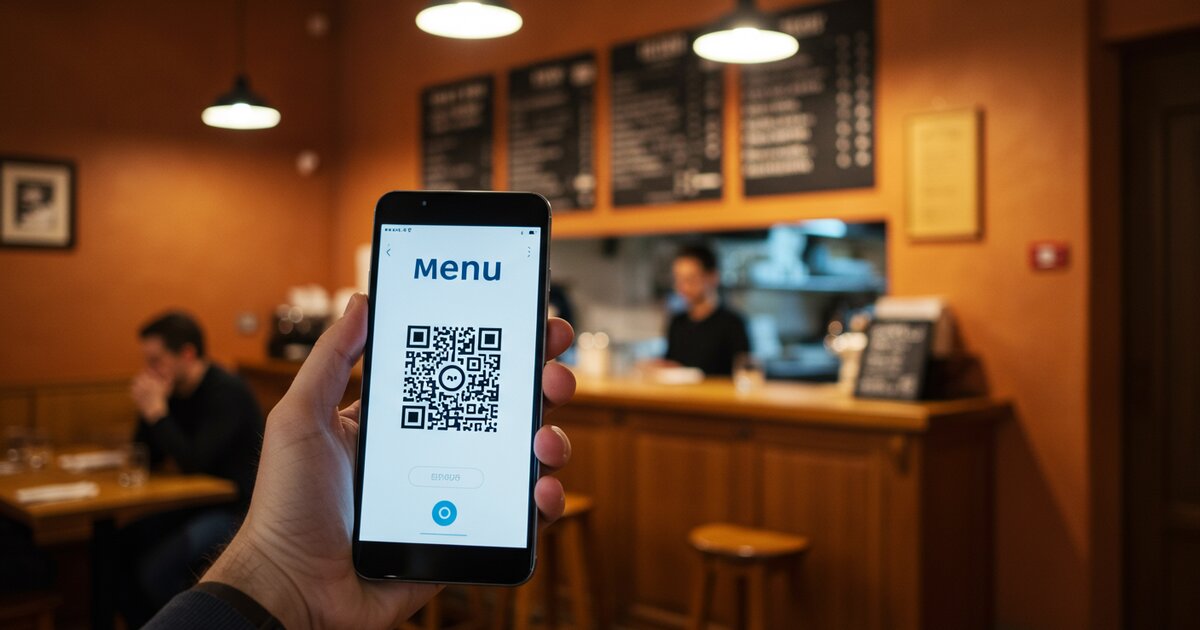
Since the pandemic, QR codes have become the norm. 58% of customers prefer a QR menu to a paper menu according to a CHD Expert 2024 study (perceived hygiene benefits).
Benefits of QR menus:
- Instant updates (out-of-stock items, daily specials)
- Saves on paper and printing costs
- Multilingual capability (one tap = translated menu)
- Less physical handling
How to set up:
- Generate a QR code linking to your online menu
- Print on table stands (acrylic holders, laminated cards)
- Total cost: £15–25/US$20–30 for 10 tables
Common Mistakes to Avoid
❌ Mistake 1: Giving up after 2 weeks
Digitalisation isn't a sprint. Results should be measured over 2–3 months minimum, not 2 weeks.
Solution: Set quarterly goals rather than weekly ones.
❌ Mistake 2: Trying to be everywhere at once
There's no point being on 10 social networks if you can't manage them properly. It's better to excel on 2 platforms than to be mediocre on 10.
Solution: Start with Google + 1 social network (Instagram OR Facebook), then expand if capacity allows.
❌ Mistake 3: Poor quality photos
A blurry or poorly lit photo does more damage to your image than no photo at all.
Solution: Use a recent smartphone, favour natural lighting, take 10 photos and keep only the best one.
❌ Mistake 4: Ignoring negative reviews
Not responding to a negative review lets the customer have the last word publicly. 73% of consumers believe a restaurant that doesn't respond to reviews doesn't care about its customers (BrightLocal).
Solution: Respond within 24 hours with professionalism.
❌ Mistake 5: Inconsistent information
Different address on Google and Facebook, outdated opening hours, wrong phone number… Every inconsistency loses you customers AND hurts your search rankings.
Solution: Audit all your digital channels once a month (30 minutes).
Checklist: 7-Day Digitalisation Action Plan
Day 1: Online menu
- ✅ Choose a platform (free to start)
- ✅ Create your account
- ✅ Add your first 20 dishes
- ✅ Upload your logo and 3 photos
Day 2: Google Business Profile
- ✅ Claim your Google listing
- ✅ Complete 100% of your profile
- ✅ Add at least 10 photos
Day 3: Multi-channel consistency
- ✅ Check NAP consistency (Google, Facebook, website, directories)
- ✅ Fix any errors found
Day 4: Online reputation
- ✅ Read all existing reviews
- ✅ Respond to 100% (start with the most recent)
- ✅ Create a QR code for Google Reviews
Day 5: Social media
- ✅ Create or optimise your professional Instagram account
- ✅ Post 3 dish photos with descriptions
- ✅ Set up Facebook Business (link to Instagram if possible)
Day 6: Optimisation
- ✅ Improve dish descriptions
- ✅ Add allergens and vegetarian/vegan options
- ✅ Complete opening hours (including bank holidays)
Day 7: Launch and promote
- ✅ Announce your digital menu to customers (table sign in the venue)
- ✅ Share the link on social media
- ✅ Send to your email list if you have one
Total estimated time: 8–12 hours over 7 days (1 to 2 hours per day)
Realistic Budget for a Small Restaurant
Level 1: Free (but effective)
- Online menu (free platform): £0/$0
- Google Business Profile: £0/$0
- Social media: £0/$0
- Total: £0/$0 per month
Level 2: Starter (£85–125/US$100–150 per month)
- Level 1 +
- Geo-targeted Facebook Ads: £65/$80 per month
- Reputation management or social media tool: £40/$50 per month
- Total: £105/$130 per month
Level 3: Growth (£250–330/US$300–400 per month)
- Level 2 +
- Professional photographer (once per quarter): £165/$200 per quarter = £55/$66 per month
- Premium booking software: £65/$80 per month
- Local Google Ads: £125/$150 per month
- Total: £270/$326 per month
Recommendation: Start with Level 1 (free) for 3 months. If results are promising, move to Level 2.
Real-World Data: What Actually Works
2025 industry study: digitalisation of small hospitality businesses
Profile of restaurants that successfully digitalised:
- 67% started with no budget (free tools only)
- 89% saw measurable results within 3 months
- 92% spend less than 30 minutes per day on digital maintenance
Average results after 6 months:
- +47% new booking enquiries
- +34% visibility on Google (impressions)
- Average Google rating improved from 3.9 to 4.4 stars
- 28% reduction in time spent handling customer information requests
Key success factors identified:
- Information consistency (NAP): #1 impact on local SEO
- Consistently responding to reviews: #1 impact on average rating
- Quality photos: #1 impact on click-through rate
Common barriers to digitalisation
Barriers cited by non-digitalised restaurateurs (2025 survey):
- 54%: "I don't have the time"
- 38%: "I don't know where to start"
- 31%: "I think it's too expensive"
- 27%: "I'm not comfortable with technology"
Reality after guided implementation:
- Actual time invested: 8–12 hours over 2 weeks (then 15–30 min/day)
- Actual cost to get started: £0/$0 (free tools are sufficient)
- Skills required: basic smartphone/computer use
Resources and Support
Public support programmes
UK: Help to Grow Digital / Local Enterprise Partnerships
- Free digital advisory services
- Practical sector-specific guides
- Online digital assessments
US: Small Business Administration (SBA) / SCORE
- Free mentoring and workshops
- Digital transformation resources
- Local chapter support
Local Chambers of Commerce
- Digitalisation training (often free or under £85/$100)
- One-to-one support
- Group workshops
Free online training
Google Digital Garage
- "Fundamentals of Digital Marketing" course
- Free certification
- Modules specific to local businesses
Meta Blueprint (Facebook/Instagram)
- Professional Page management training
- Local advertising
- Free and certified
Conclusion: You Don't Need a Huge Budget — Just a Method and Consistency
Digitalising a small restaurant is neither complex nor expensive. The industry data confirms it: 67% of digitalised restaurants started with no budget, using only free tools.
The 3 essential pillars:
- Online menu: Your digital shopfront, accessible 24/7
- Optimised Google presence: The gateway for 80% of searches
- Active reputation management: Your most powerful marketing lever
Realistic investment:
- Initial setup: 8–12 hours over 2 weeks
- Maintenance: 15–30 minutes per day (responding to reviews, occasional posting)
Minimum budget:
- £0/$0 to get started effectively
- £85–125/US$100–150 per month to accelerate growth
Next steps:
Digitalisation is a gradual process. Start with the fundamentals (online menu + Google + reputation management), measure results after 3 months, then adjust your strategy.
The question is no longer "Should I go digital?" but "How do I optimise my visibility to capture the 90% of customers who search online?"
💡 Further resources
To take your digital transformation further, several resources are available:
- Google Digital Garage practical guides (learndigital.withgoogle.com)
- Free support via local Chambers of Commerce
- SBA and SCORE workshops (US) / Help to Grow (UK)
Solutions like ALaCarte.Direct let you create a free, professional online menu in just a few minutes.
Guide compiled based on BrightLocal 2025, CHD Expert 2024–2025, and Google Business Profile 2025 industry studies.
Last updated: February 2026
3142 words