 ALaCarte.Direct
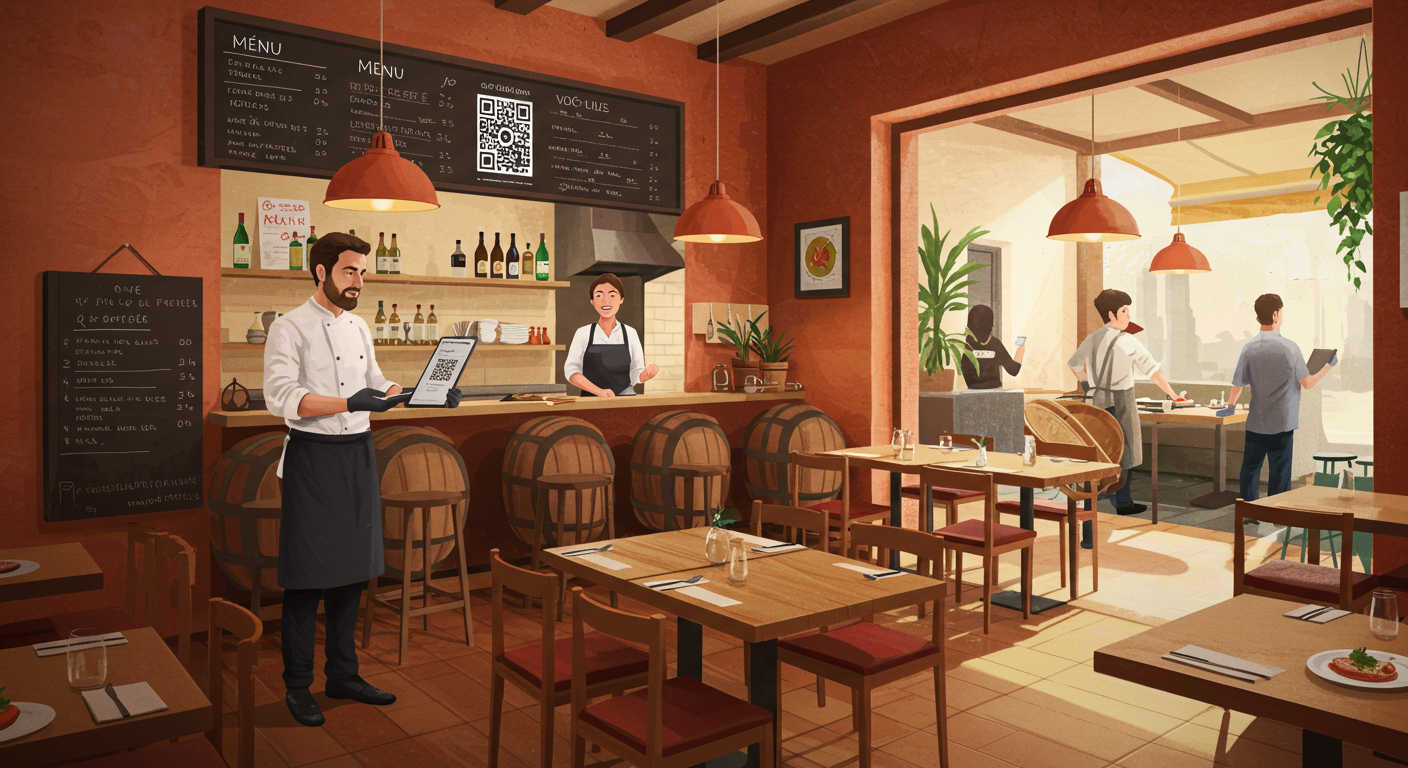
Every summer, the same scenario plays out in thousands of restaurants. A couple of tourists sits down on the terrace, opens the menu… and freezes. They can't make sense of "émincé de volaille fermière, jus corsé aux morilles" or "déclinaison de légumes anciens en texture." The server attempts to explain in broken English, the queue grows longer, and service times spiral. The result: the tourist orders "the steak" by default, the average spend drops, and the experience falls flat for everyone. A multilingual QR code menu radically changes this situation. Here's how to set one up in practice, and more importantly, how to turn it into a genuine operational and financial advantage.
Why multilingual QR code menus have become essential in the restaurant industry
France remains the world's top tourist destination. Every year, it welcomes tens of millions of international visitors who, at some point during their trip, walk through the door of a restaurant. Yet the majority of these tourists speak little or no French.
The problem goes beyond mere comfort. A customer who can't understand your menu won't order what they'd truly enjoy. They avoid dishes they can't identify. They skip the starter and dessert for fear of getting it wrong. They don't come back, and above all, they don't recommend you.
Offering a tourist-friendly restaurant menu that's readable in their native language removes a major barrier to spending. It's also a powerful signal of hospitality: the customer immediately feels welcome, knowing you've thought of them.
The reality on the ground: what restaurants lose without translation
Let's take a concrete example. You run a brasserie in Bordeaux, a stone's throw from the Cité du Vin. Your menu has 40 items. In peak season, a third of your customers come from abroad: British, Spanish, German, American, Chinese.
Without translation, here's what happens daily:
- The server spends an extra two to three minutes per table explaining dishes in a foreign language — sometimes miming the ingredients.
- Tourists default to "recognisable" dishes: Caesar salad, rib-eye steak, crème brûlée. Your signature dishes — the ones with the best margins — go unnoticed.
- Order errors increase: a customer with a tree nut allergy didn't understand the dish description. The health risk is very real.
- Table turnover slows, reducing the number of covers served per sitting.
All these friction points have a direct cost on your revenue and service quality. A multilingual QR code menu eliminates almost all of them in one go.
How a multilingual QR code menu works: the concept in practice
The concept is straightforward. A QR code — printed on a table stand, a counter tent, or a sticker — links to your digital menu. The customer scans it with their smartphone. The page automatically detects their phone's language — or lets them choose from the available languages. They then browse your fully translated menu, complete with descriptions, prices and, ideally, photos of your dishes.
What the customer sees, step by step
- They sit down and notice the QR code on the table.
- They scan it with their phone's camera (no app download required).
- The menu appears in their language. If they're Japanese, they see descriptions in Japanese. If they're Brazilian, in Portuguese.
- They browse the categories: starters, mains, desserts, drinks. Each dish is clearly described, with allergens flagged.
- They choose with confidence, without needing to flag down the server for every line on the menu.
The server can then focus on advising, recommending wines, and welcoming guests — their real job — instead of acting as an improvised translator.
The difference from a printed translated menu
Some restaurateurs have already tried multilingual paper menus. Let's be honest: it's a logistical nightmare.
- You need to print as many versions as languages offered.
- Every menu change (new dish, price update, out-of-stock item) means reprinting all versions.
- Paper menus get damaged, go missing, and printing costs quickly add up.
- You're limited to two or three languages at most, due to space and budget constraints.
With a digital multilingual QR code menu, a single update on your platform is instantly reflected across all languages. You can offer five, eight, or even ten languages with no additional printing cost. And you'll never again have an outdated menu in a customer's hands.
Which languages should you offer in your multilingual menu?
This is a strategic question, and the answer depends on your location and actual customer base. Don't translate at random: target the languages that will bring you the most efficiency on the floor.
Priority languages by location
Paris and Île-de-France: English, Spanish, Chinese (Simplified Mandarin), Japanese, Portuguese (Brazilian), Arabic, German.
French Riviera and Provence: English, Italian, German, Russian, Dutch.
Bordeaux and South-West France: English, Spanish, German, Dutch, Portuguese.
Alsace and Eastern France: German, English, Dutch.
Brittany and Normandy: English, German, Dutch.
Ski resorts (Alps, Pyrenees): English, Dutch, German, Russian, Scandinavian languages.
How to identify your customers' languages
No need for a complex market study. Here are three simple methods:
- Ask your servers. They know which languages they hear on the floor. After a week of informal notes, you'll have a reliable picture.
- Check your online reviews. Look at your Google Business listing, TripAdvisor, and TheFork: in which languages are your customers leaving comments?
- Review your website analytics (if you have one). Google Analytics shows the browser language of your visitors.
Start with three languages in addition to your main language, then add more over time based on actual demand.
Menu translation: quality and pitfalls to avoid
This is the most critical point. A poorly translated menu is worse than an untranslated one. We've all seen those disastrous machine translations: "farmer's sliced poultry, gutsy juice with morels." It's laughable, unappetising, and damages your image.
The three levels of translation
Level 1 — Raw machine translation (Google Translate, DeepL without proofreading). Free and fast, but riddled with errors when it comes to culinary vocabulary. "Tartare de bœuf" translated literally into Japanese or Chinese can suggest something culturally very different. Avoid using this on its own.
Level 2 — Machine translation + human proofreading. This is the right compromise for most restaurants. A translation tool does the heavy lifting, then a native speaker (a friend, a language student, an online freelancer) corrects awkward phrasing and adapts the culinary vocabulary.
Level 3 — Professional translation by a specialist in gastronomy. The highest quality, but also the most expensive. Best reserved for fine-dining establishments or lengthy menus with elaborate descriptions.
Common restaurant menu translation mistakes
Here are the most frequent pitfalls seen in restaurant menu translation:
- Translating proper dish names. "Tarte Tatin" should not be translated. Neither should "Crème brûlée." These are internationally recognised names. Translate the description, not the name.
- Ignoring cultural connotations. In Asia, the concept of "raw" (tartare, carpaccio) can be off-putting if not given context. In India, specifying that a dish contains beef or pork is essential.
- Forgetting allergens. The translation must include allergen information. This is a legal requirement (EU Food Information for Consumers Regulation No. 1169/2011) and a food safety matter.
- Using the wrong register. A neighbourhood bistrot doesn't need formal English. Conversely, a Michelin-starred restaurant must choose every word with care.
Localise, don't just translate
The best approach is localisation, not mere translation. This means adapting the content to the reader's cultural context.
For example, for a dish featuring boudin noir:
- In English: "Black pudding sausage, pan-seared, served with caramelised apples" (an explicit description, because the term alone isn't enough).
- In Spanish: "Morcilla a la plancha con manzanas caramelizadas" (the term "morcilla" is immediately understood).
- In Japanese: you'd need to explain what it is, as there's no direct equivalent in mainstream Japanese culinary culture.
This localisation work makes all the difference between a menu that "works" and one that genuinely whets the appetite.
The tangible impact on your business: what a multilingual menu changes
A higher average spend
When a tourist understands your menu, they order more. It's that simple. They venture an appetiser, they pick the dish they actually want (not the safe option), they're tempted by dessert. They also understand the wine list and can choose a food-and-wine pairing instead of asking for "just water, please."
Many restaurateurs who have adopted a multilingual QR code menu report a noticeable increase in average spend from international customers. Simply making the menu readable unlocks sales that would never have happened otherwise.
Smoother service and faster table turnover
Every minute saved on explaining the menu translates into faster turnover. In peak season, when every cover counts, this is a direct lever on your revenue. To explore this topic further, see our guide on how to improve table turnover rates.
Less time spent translating verbally also means a less stressed server, who's more available to upsell — recommending a dessert, suggesting a coffee, or offering a digestif.
Fewer order errors
A customer who reads the dish description in their own language can spot ingredients they're allergic to or simply don't like. Returns to the kitchen decrease. Awkward situations do too. It saves time, money, and stress for the entire team.
Better online reviews
Tourists are heavy users of Google Reviews and TripAdvisor. A welcome in their language, a menu they can understand — that's the kind of thoughtful touch that generates positive reviews. And those reviews attract more tourists. It's a virtuous circle.
Practical implementation: where to start
Step 1 — Get your menu into digital format
Before thinking multilingual, your menu needs to be accessible via a QR code. If it isn't already, that's the first prerequisite. You can consult our step-by-step guide to creating a QR code menu for the technical basics.
Your digital menu should contain:
- The name of each dish
- A clear description (main ingredients, cooking method)
- The price
- Allergen information
- Ideally, a photo for your signature dishes
Step 2 — Have your menu translated into your priority languages
Identify your three target languages (see the previous section). Proceed with translation at the quality level suited to your establishment. If your menu changes frequently (daily specials, seasonal suggestions), opt for a tool that allows quick translation updates.
Platforms like ALaCarte.direct integrate multilingual management directly into the menu creation interface, which considerably simplifies the translation and updating process.
Step 3 — Print and position your QR codes
The QR code should be visible without being intrusive. Here are the placements that work best:
- On the table: a sticker, table tent, or integrated into the placemat.
- At the entrance: a sign with the QR code and the line "Menu available in English, Spanish, German…" draws in tourists hesitating outside your door.
- On the window: passers-by can scan before even stepping inside. It's a customer acquisition tool.
Step 4 — Train your team
Your servers need to know how to:
- Point out the QR code to foreign customers as soon as they arrive.
- Explain in one sentence that the menu is available in several languages ("Our menu is available in your language, just scan here").
- Handle cases where the customer doesn't have a smartphone (keep a backup tablet or a simplified printed version in English).
Training takes fifteen minutes. But it makes all the difference to how smoothly you welcome guests.
Step 5 — Test and refine
Before peak season, have your translated menu tested by native speakers. Ask them:
- Is every dish understandable?
- Does the description make it sound appealing?
- Are there any errors in vocabulary, grammar, or tone?
Testing with three or four people is enough to catch the major issues.
Advanced features that make a real difference
Once the basic multilingual QR code menu is in place, certain additional features can further enhance the experience.
Automatic language detection
The best user experience is when the customer doesn't have to do anything. Their phone is set to German? The menu appears in German automatically. Zero friction, zero extra taps.
Dish photos
For customers whose language isn't available, or simply to boost appeal, photos are a powerful complement. A great photo of a dish is worth more than an approximate translation. Invest in a few professional shots of your signature dishes.
Allergen and dietary icons
Universal icons (gluten-free, vegetarian, vegan, halal, kosher, lactose-free) transcend language barriers. They usefully complement the translation and meet a strong expectation from international customers.
Highlighting high-margin dishes
Your multilingual digital menu is also a sales tool. Visually highlight your most profitable dishes: a "Chef's favourite" badge, strategic placement at the top of a category, a dedicated photo. A tourist discovering your menu for the first time is particularly receptive to these suggestions.
Managing seasonality: preparing for the tourist high season
The multilingual QR code menu delivers its full value during the tourist high season — from May to October in most regions, with peaks in July–August and over the Christmas holidays for ski resorts.
The ideal preparation timeline
- March–April: set up or update your translations. Test the entire customer journey (scan → display → navigation).
- May: train your seasonal staff. Temporary and seasonal workers must understand how the QR code system works.
- June: launch under real conditions. Observe, gather feedback from customers and servers.
- July–August: optimise continuously. Add a language if you spot unmet demand.
- September: take stock. Which languages were most viewed? What impact on average spend?
Adapting the menu to seasonal specifics
Your summer menu isn't your winter menu. Remember to translate these as well:
- The daily special / chef's suggestions
- The cocktail and summer drinks menu
- Special menus (tasting menu, children's menu, Sunday brunch)
A digital menu makes these updates simple and instant, whereas a multilingual paper menu would be a permanent logistical headache.
Legal and regulatory aspects to be aware of
Allergen information requirements
The EU Food Information for Consumers Regulation (No. 1169/2011) requires that consumers be informed about the 14 major allergens. This obligation applies regardless of the language in which your menu is viewed. Your translations must therefore include allergen information without exception.
Price display
Prices must be displayed inclusive of all taxes, in accordance with local regulations. Your multilingual digital menu should display prices in euros. There's no need to convert to other currencies — tourists expect this.
Meat origin labelling
For beef, indicating the origin is mandatory in restaurants in France. Ensure this information is present in all language versions of your menu.
Real-world feedback: what restaurateurs are seeing on the ground
To understand the real impact of a well-designed online menu, the example of Le Quatrième Mur in Bordeaux is illuminating. This restaurant used its online menu as a genuine booking driver, demonstrating that an accessible and readable digital menu generates significantly higher customer engagement.
On a smaller scale, here's what independent restaurateurs who have adopted a multilingual menu report:
-
A bistrot in Montmartre: "Our servers were spending ages explaining the menu in English and Spanish. Since introducing the multilingual QR code, they take orders in two minutes instead of seven. We now fit in an extra sitting on Saturday evenings."
-
A seafood restaurant in Nice: "Asian customers used to order the same three dishes every time. Since they've been able to read the menu in Mandarin, they explore the entire carte. Our seafood platter — our highest-margin item — now sells three times more to this clientele."
-
A crêperie in Brittany: "Germans and Dutch make up half our summer clientele. Having the menu in German and Dutch has transformed the atmosphere: less stress for them, less stress for us."
These testimonials all point to the same benefits: time saved, higher average spend, and greater customer satisfaction.
How much does it cost? A realistic budget
Let's be transparent about costs, as this is often the first stumbling block.
Setup costs
- The digital menu platform: from free (basic solutions) to a few tens of pounds/dollars per month for professional solutions with built-in multilingual management.
- Translation: varies depending on the number of dishes and languages. Expect anywhere from £0/$0 (machine translation) to a few hundred pounds/dollars (professional translation for three to five languages).
- Physical materials (stickers, table tents): a few tens of pounds/dollars for a set.
Return on investment
Let's do a simple calculation. If your multilingual menu helps you gain even just £1/$1 in additional average spend on 20 foreign covers per day during the summer season (120 days), that's £2,400/$2,400 in additional revenue. More than enough to recoup the initial investment, which typically comes in under £500/$500.
And this calculation doesn't account for indirect gains: better online reviews, word-of-mouth, international customer loyalty, and fewer order errors.
Optimising your overall operations during peak season
The multilingual menu is part of a broader approach to peak-season preparation. Alongside it, consider optimising your stock management to avoid shortages — there's nothing worse than a tourist finally choosing a dish thanks to the translation, only to be told it's unavailable.
Similarly, if you offer gift cards to your tourist clientele (an underused revenue lever), understanding the mechanics of the breakage rate will help you structure this offering more effectively.
Conclusion: five actions to take this week
The multilingual QR code menu is neither a tech gimmick nor a luxury reserved for large establishments. It's a practical operational tool that solves an everyday problem: the language barrier between your kitchen and your international customers.
Here are five actions you can take starting this week:
- Identify your three priority languages by asking your team and checking your online reviews.
- Digitise your menu if you haven't already, with full descriptions and allergen information.
- Have your menu translated into the identified languages, prioritising quality over quantity — three well-translated languages are better than eight approximate ones.
- Order your QR code materials and decide where to place them on your tables and in your window.
- Brief your team in fifteen minutes on how it works and the reflex of directing foreign customers to the QR code.
The tourist high season won't wait. Every day without a multilingual menu is a day when tourists leave your restaurant having ordered by default instead of ordering with desire. And that's revenue that won't come back.